This page's update was
Friday, 2002-11-15
counts.
1.目的
SUN ULTRA1/solaris9稼動中のcomputerにNetscape7Beta版をpkgaddする。
2.機器
機器は、前提条件です。動いているコンピューターを用意してください。
- SUN ULTRA1 1台 本体です。動くことが前提です。
私はとりあえず クリエーター3D sparc;sun4u メモリ384M HD6G CD-ROM 東芝MX-5401だったかな。- キーボード やっぱり必要です。
私の場合、Type 5cを使いました。- マウス 1台 SUN キーボードにつながる物です。
わたしは、model M4 になってます。- テレビ 1台 SUN SPARCがつながる物です。
私は、SunのGDM-1962を付属のコードでサンにつなげています。- 電源コード(100V) 1本
これがないと動きません。家庭用の電源につなぎます。3.ソフトウエア
- Netscape[tm] 6.2.3 Software for the Solaris[tm] Operating Environmentは、All languagesです。
http://wwws.sun.com/software/solaris/netscape/<- ここから入手できます。
- 最新版、Netscape 7.0 Beta for the Solaris OE now ready to be test driven.はここです。
http://wwws.sun.com/software/solaris/netscape/7b_index.html<- ここから入手できます。
- Download、解凍とインストールする人です。普通の人が1名で結構です。
5.操作
- 3.でプログラムを入手してください。左にあるGet ≫ Get the Software のダウンロード押し次へ行きます。
- 以下のような条件が表示されます。
Important:
Before you get started, please read the following:
Installation Considerations:
Installing the Netscape 7.0 Beta browser should not interfere with current installations of Netscape software, other borrowers, or your system software. However, some issues exist with possible mailbox data corruption. Please see Release Notes for more details. Downloading this version assumes you have read the licensing agreement associated with using the Netscape 7.0 Beta product.
Supported Operating Systems:7~9のオペレーティングシステム環境が必要
Solaris 9 Operating Environment, SPARC[tm] Platform Edition
Solaris 8 Operating Environment, SPARC and Intel Architecture Platform Editions
Solaris 7 Operating Environment, SPARC and Intel Architecture Platform Editions
System Requirements:
Desktop Environments: 当然です。
Common Desktop Environment (CDE)
OpenWindows[tm]
Disk Space必要なディスクの容量
160 Mbytes of free disk space for a full installation
You need an additional 130 Mbytes if you are using the GUI installer
You need an additional 260 Mbytes if you are installing the SVR4 packages. (NOTE: You can reclaim the additional space after the installation is complete.)
Java:ジャバ環境
Java 2 Standard Edition 1.4. (J2SE)
Using previous versions of the J2SE may experience some compatibility issues using Netscape 7.0 Beta. For more information on the Java platform compatibility with previous releases please visit: http://java.sun.com/j2se/1.4/compatibility.html
Compliance:応諾
128-bit encryption
Y2K compliant
- 自分の環境に合うか判断してください。そして自分の現在使用中のOSを選択します。pkgaddと書いてあります。私は、UltraSparc OS5.9なので、メニューからSolris9Sparc pkgadd yesのDownload Nowをクリックします。
- usernameとpasswordを入れると、LEGALでlicenseAgreementライセンスの同意を求めてきますので、Acceptにクリックします。そしてContinueボタンを押して次に進みます。
以下の文字で黒い部分が有りますのでそこをクリックします。
Netscape 7.0 Beta for Solaris 9 pkgadd
SPARC Platform
Netscape 7.0 Beta for Solaris 9 pkgadd (n7_sunpkgs_sparc.zip, 21.14 MB)- デレクトリを指定してそこにDownloadします。 /opt/srcがいいかも。
解凍すると、同じ中に展開されますので、その中からnsinstall(ksh)を実行します。落す場所を確認してきますので、Defaultのまま(enter)を押すと調査が始まります。以前のバージョンが入っている場合、削除の確認をしますのでyを押します。勝手に展開されてNetscape Installation completeでおしまいです。
- 色々と作成するたるのFileが出来上がっていますので動作確認後は、場所の有効利用のために削除しましょう。
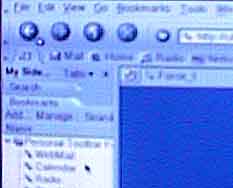
- # netscpace6 & (<-どういうわけか6です。)
で確認してください。 ツールバーなどは、英語ですが表示は、内容は、日本語でされますので問題はありません。perferencesに日本語を入れておきましょう。
7.その他もろもろ、、
plugins:
/opt/dt/SUNWns6/pluginsに入れれば、設定できます。